
TIF OS
See the work we're doing for you, and how your site is performing, in one place.
TIF OS is the system our team runs on for tickets and time tracking, with analytics for the websites we look after. As a Think It First client, you get your own view of it: what we're working on, the hours behind it, and how your site is doing.

What it does
Working with an outside team usually means asking for status. You email to find out whether the form fix is done, wait for a monthly report to see the hours, and log into two or three analytics tools to see whether the site is doing its job. Your marketing manager ends up relaying updates between us and their own leadership.
TIF OS is the system we run our own work on, including tickets, time tracking, and analytics for the websites we look after. Each client gets a view of the parts that belong to them: the tickets our team has open for you and where each one stands, the time we've logged against your project, and traffic and search data for your site. Many clients have access the day they sign their statement of work.
Your view shows our work for you, and your own team keeps tracking its projects in the tools it already uses. What the view includes depends on the access you give us, such as Google Analytics and Search Console, and your account lead sets it up with you. If you want a different view, we can customize it from the access you share.
What it handles
Tickets we're working on
Every ticket our team has open for you appears with its status, from requested to in review to done. You can see what's moving this week and what's waiting on a decision from your side. Nobody has to send a status email to find out where a fix stands.
Time on your project
The hours our team logs against your project appear as we log them, by task and by month. You can see where the time is going before the invoice arrives. Your account lead can walk you through any line you have a question about.
Site analytics
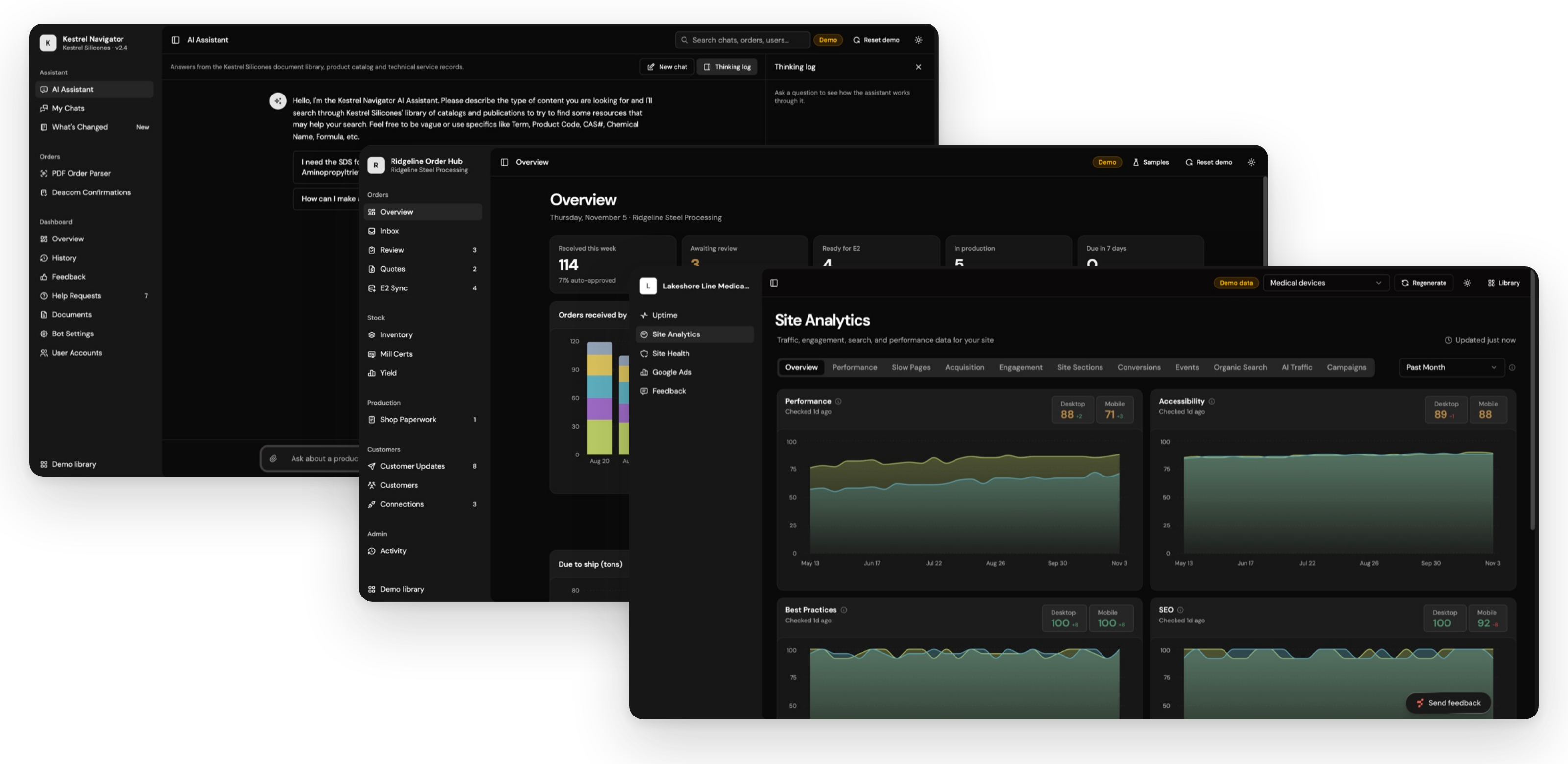
Traffic, search performance, and top pages for your website come from Google Analytics and Search Console once you give us access. You see the numbers next to the work that's meant to move them. More of your web properties can be added to the same view.
Website feedback
Notes sent through the Site Feedback Widget appear in the Web Feedback view, next to the tickets they became. Reviewers can see what they flagged and what's been fixed. The whole review stays in one place instead of an email thread.
Hosting status
For sites on TIF Hosting, your view shows site status, recent updates, and any update waiting for your approval. Your marketing manager can see what changed and when without asking anyone. Updates that need a yes wait there for one.
A view set up for you
What your view shows depends on the access you share with us, such as analytics accounts and API keys. If you want a different cut of the data, we can customize it. Your account lead sets up the view with you and walks you through it.
See it working
Who it's for
FAQ
TIF OS questions
Who can get TIF OS?
Clients working with Think It First can get their own view in TIF OS, and many have access the day they sign their statement of work. Ask us about it on your next project, and we'll show you what your view would include.
Can our team use TIF OS to manage our own projects?
Not today. TIF OS is the system our team runs on, and your view shows our work for you: the tickets we have open, the time we've logged, and your site's analytics. Your team keeps managing its own projects and tickets in the tools it already uses.
What will we see in TIF OS?
You'll see the tickets our team is working on for you and where each one stands, the hours logged against your project, and traffic and search data for your website. Sites on TIF Hosting also show their status and recent updates, and website reviews appear in the Web Feedback view.
Do we still get status updates from our account lead?
Yes. Your account lead still talks you through the work and what's next. Between those conversations, TIF OS shows the tickets we've closed, the hours logged, and how your site is trending, so you don't have to wait for a report to see where things stand.
How does TIF OS work with the Site Feedback Widget and TIF Hosting?
Feedback sent through the widget becomes tickets in our tracker and appears in your Web Feedback view, next to the rest of the project. Sites on TIF Hosting show their status, recent updates, and any update waiting for your approval. Both sit in the same view as your tickets and analytics.
How does setting up TIF OS work?
There's very little to set up, because TIF OS already runs our own work. Many clients have access the day they sign their statement of work. What your view shows depends on the access you give us to tools such as Google Analytics and Search Console, and we can customize it from there.
Which tools can TIF OS connect to?
Tickets and time tracking are already in TIF OS, because they're how our team works, so there's nothing for you to connect there. For your site, it's mainly analytics, read from tools such as Google Analytics and Search Console once you give us access. If you'd like other sources or views, we can add them from the access or API keys you share.
You know AI could help. Let’s build it.
Bring us a task you have in mind, or just a hunch. We’ll help you find the right place to start and build it around the way your business works.